
Legal ExplainerCar AccidentsChecklist / Process

What Evidence Should You Preserve After a California Robotaxi Crash?

A robotaxi collision can produce records across the ride account, the vehicle, a fleet operator, remote support, insurers, and regulators. The challenge is not to collect technical-sounding terms; it is to identify the exact trip and vehicle, preserve what you control, ask the right custodian for the right record, and understand what a public report can—and cannot—show.

Published

July 15, 2026

Updated

July 15, 2026

Reading time

11 min read

Jurisdiction

California

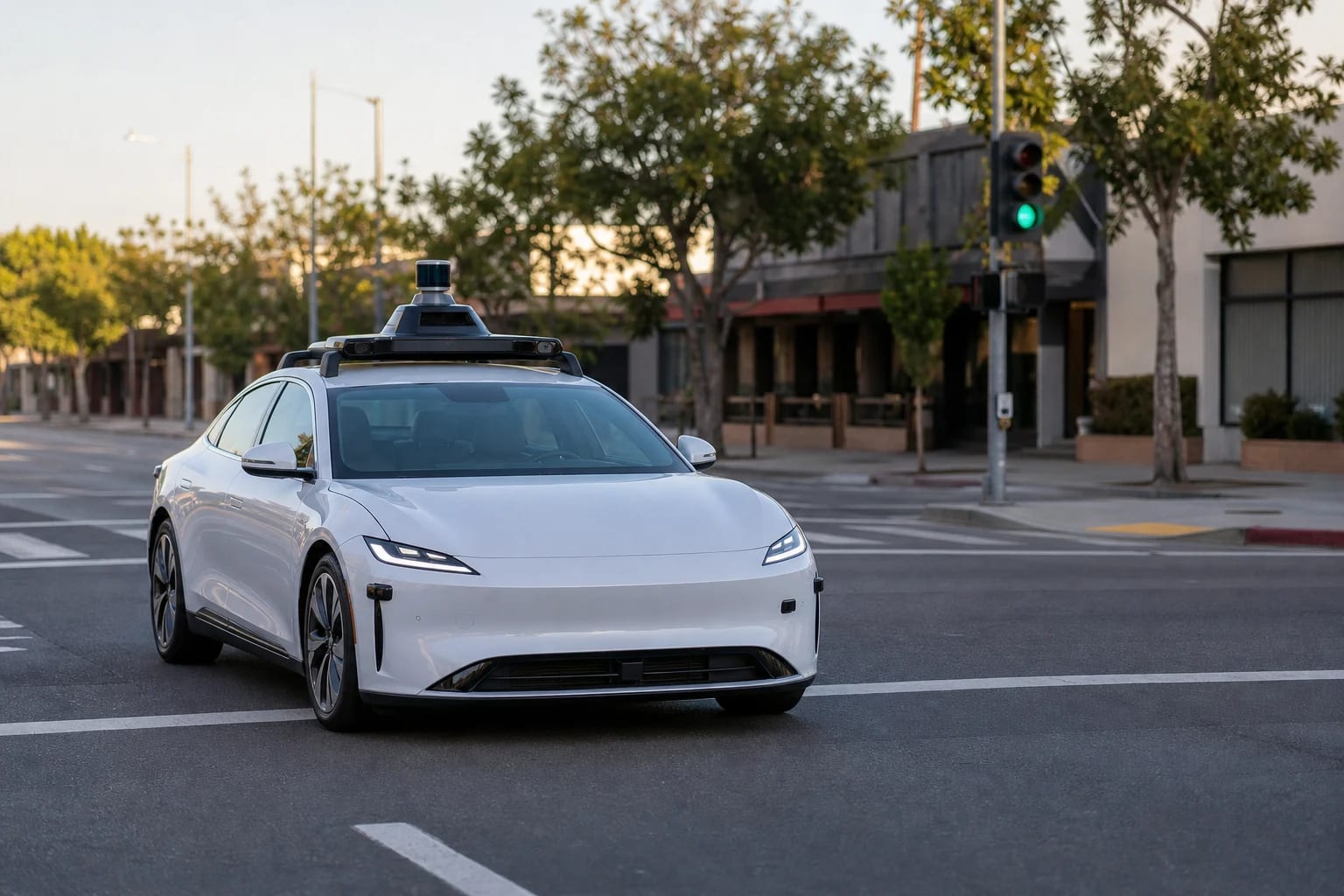
Unbranded white autonomous vehicle with roof sensors at a California intersection
Robotaxi evidence can span the ride account, vehicle systems, fleet records, and public regulatory reports.

Quick answer

After a California robotaxi crash, preserve the ride receipt, trip ID, exact time and location, vehicle identifiers, photos, witness details, and every app or support message. California law also requires a covered vehicle operating in autonomous mode to preserve specified pre-crash sensor data. Ask promptly for vehicle, remote-assistance, and company records, while treating DMV, CPUC, and NHTSA reports as context—not proof of fault.

Key takeaways

  • <strong>Classify the system first:</strong> a driverless ride, a test vehicle with a safety driver, and ordinary driver assistance do not share the same legal or record framework.
  • <strong>Identify the vehicle and trip:</strong> exact time, place, trip ID, unit number, plate, and visible VIN details make later matching much more reliable.
  • <strong>Separate retention from access:</strong> a rule requiring specified data to be kept does not automatically make that data public or guarantee that a claimant will receive it.
  • <strong>Use public reports as leads:</strong> DMV, CPUC, and NHTSA materials can help identify entities and incident records, but they are not police reports, complete evidence files, or fault findings.
Hurt Advice Editorial Team

Prepared by

Hurt Advice Editorial Team

Editorial Research and Publishing Team

Source-checked editorial publishing

Why trust this article

Prepared by the Hurt Advice Editorial Team from the current California Vehicle Code and current official DMV, CPUC, and NHTSA materials. Hurt Advice is a lawyer referral and legal information service, not a law firm. No attorney reviewed the displayed version.

Recent update: First published July 15, 2026, with an AV-specific evidence map, exact California sensor-data rule, official-report limitations, checklist, and preservation-request script.

At a glance

What this guide helps you decide

Start with the question that brought you here, identify the records that can verify the facts, and use the related guidance only where it helps. This article addresses car accidents questions in California.

Main question

Decide how this topic may apply to your situation

Use "What Evidence Should You Preserve After a California Robotaxi Crash?" to sort the facts you know, the questions still open, and whether a car accidents resource or consultation may be useful in California.

Guide map

Start with the sections most relevant to you: Who this guide helps and the four takeaways, Why does robotaxi evidence differ from ordinary crash evidence?, Was the vehicle legally operating as an autonomous vehicle?

Move through the article by issue, not by guesswork, so liability, medical proof, insurance pressure, deadlines, and next steps stay connected.

Records to gather

Connect these subjects to your records: robotaxi crashes, autonomous vehicle evidence, sensor data, DMV permits

Compare the topic with records, photos, medical visits, police reports, insurer letters, and local claim details before relying on a general answer.

Trust check

Use the source trail before acting

This page includes 6 source references plus internal next-step paths so readers can verify where the guidance comes from.

Before you rely on this guide

This article is written for people dealing with injury-law questions in California. It is meant to help you understand the issue, not replace legal advice about your specific case.

What to do after this article

Start with the quick answer, skim the table of contents, and then use the links below to move into the practice area, author archive, or resource page that turns general guidance into a clearer next step for your situation.

Who this guide helps and the four takeaways

This guide is for a robotaxi passenger, another driver, a pedestrian or cyclist, or a property owner trying to identify evidence after a California collision. It focuses on finding and preserving records. It does not decide fault, promise access to company data, or replace advice about an individual claim.

A robotaxi crash can leave ordinary scene evidence plus records held by a manufacturer, fleet operator, passenger carrier, remote-assistance provider, insurer, or public agency. Build the file by source and disputed fact instead of treating every database entry as proof of causation.

  • Classify the system first: a driverless ride, a test vehicle with a safety driver, and ordinary driver assistance do not share the same legal or record framework.
  • Identify the vehicle and trip: exact time, place, trip ID, unit number, plate, and visible VIN details make later matching much more reliable.
  • Separate retention from access: a rule requiring specified data to be kept does not automatically make that data public or guarantee that a claimant will receive it.
  • Use public reports as leads: DMV, CPUC, and NHTSA materials can help identify entities and incident records, but they are not police reports, complete evidence files, or fault findings.

Why does robotaxi evidence differ from ordinary crash evidence?

A robotaxi file may add autonomous-driving system state, sensor output, camera footage, software version, fleet dispatch, remote-assistance activity, trip records, and regulatory submissions to the ordinary crash evidence. Different organizations may control each item, and a public version may be delayed, redacted, summarized, or absent.

Preserve ordinary proof too. The California car-accident checklist covers immediate scene steps, while the digital-evidence guide explains how to keep original files, metadata, exports, and backups. This article adds the AV-specific custody and record-matching layer instead of repeating those general workflows.

Was the vehicle legally operating as an autonomous vehicle?

California Vehicle Code section 38750(a)(2) defines an autonomous vehicle by reference to SAE Level 3, 4, or 5 automation. It excludes a vehicle equipped only with collision-avoidance or driver-assistance features that cannot drive without active human control or monitoring. The marketing label “self-driving” or the presence of sensors does not resolve that classification.

Record whether anyone was in the driver seat, what the app or company said about the ride, whether a safety driver or remote assistant communicated, and any statement about manual or autonomous mode. Then check the current California DMV permit-holder page, which separates testing with a driver, driverless testing, and deployment and describes approved locations or operating conditions. Permit status can change, and a permit does not prove the vehicle's mode at the collision moment or establish fault.

The sensor-data rule below applies to the covered vehicle while operating in autonomous mode. If it used only Level 2 assistance or was driven manually, do not assume that rule applies. Preserve the classification facts instead of guessing from roof hardware.

What should you preserve from the scene and ride account?

Start with information you lawfully control. Export or screenshot the ride receipt, trip ID, route, fare, support chat, emails, notifications, and post-crash messages. Keep original files when practical; a screenshot should not replace an available export or original message.

Record the date, time, street or intersection, travel direction, weather, signal, and resting positions. Photograph each side of the robotaxi, roof sensors, fleet number, plate, damage, debris, markings, signals, and nearby cameras. Do not enter traffic or touch the vehicle to obtain a VIN.

Collect witness details and any police or incident number. Save medical, wage, repair, rental, and expense records separately. The accident-evidence checklist and California injury-claim proof map cover broader negligence, causation, injury, and damages issues.

  • Trip identifiers: trip ID, receipt, account email or phone, pickup, destination, and support reference number.
  • Vehicle identifiers: operator name, manufacturer, unit or fleet number, plate, visible VIN characters, and a photo showing sensor equipment.
  • System clues: occupied driver seat, safety-driver conduct, app description, remote-support contact, and any contemporaneous statement about operating mode.
  • Scene proof: original photos and video, witnesses, signal sequence, nearby camera locations, police information, and other involved vehicles.

What California sensor data must be preserved?

California Vehicle Code section 38750(c)(1)(G) applies when the covered autonomous vehicle is involved in a collision while operating in autonomous mode. The required mechanism must capture and store autonomous-technology sensor data for at least 30 seconds before the collision, keep that data read-only until it is extracted, and preserve it for three years after the collision.

That is a narrow rule with important limits. It concerns the specified pre-collision autonomous-technology sensor data and the autonomous-mode trigger. It does not say every camera file, trip record, post-collision log, dispatch message, maintenance file, or remote-assistance communication must be kept for three years. It does not decide negligence or causation, make the data public, or itself grant an injured person automatic access.

Record the facts that support the trigger: the vehicle, time and place, collision event, and evidence that autonomous mode was engaged. A focused request can identify the statutory sensor record and separately list other potentially relevant records without pretending that the same retention rule covers them all.

Where else might technical and company records exist?

Potential custodians include the manufacturer, autonomous-driving developer, fleet operator, passenger carrier, owner, remote-assistance vendor, maintenance contractor, insurer, or an agency that received a submission. Do not assume one company controls every record.

Potential company-held records include the autonomous/manual state, vehicle and ADS software versions, camera or sensor outputs, speed and acceleration, braking and steering commands, remote-assistance sessions, ride dispatch, route and operational-domain information, maintenance, inspection, repair, and collision-review materials. These categories may be relevant, but not every item necessarily exists or is available. A specific description tied to the incident is more useful than a demand for “all data.”

Keep the car-accident service hub as the broad claim owner. The AV question here is narrower: which entity may hold which technology record, what public file can help identify it, and what each source cannot prove.

What can California DMV records tell you?

The current DMV autonomous-vehicle incident page lets members of the public report an AV incident or safety concern and links to collision-report resources and NHTSA's complaint process. A report to DMV is not a lawsuit, insurance claim, police report, or finding that any person or company was at fault. Do not include Social Security, driver's-license, financial, or other unnecessary sensitive information in a public-facing safety report.

Use the DMV permit-holder page to identify the manufacturer, permit category, approved area, and operating conditions that appear relevant. Save the page and access date because the list is current-state information. A mismatch may justify a careful follow-up; it is not proof that the vehicle violated a permit or caused the crash.

A public dashboard may not match the trip because an address is incomplete, a record is revised, publication lags, or the event falls outside displayed criteria. Search by month, location, vehicle model, report identifier, and other nonprivate details. Save the version reviewed.

When do CPUC passenger-service records matter?

The California Public Utilities Commission autonomous-vehicle programs regulate prearranged passenger service. CPUC materials may help identify a licensed carrier, passenger-service program, permit, and the relationship between the carrier and a DMV-authorized vehicle. They are most relevant when the collision involved a passenger-service trip, not every AV test, delivery vehicle, private vehicle, or nonpassenger operation.

CPUC also publishes autonomous-vehicle quarterly reporting materials with operational and incident information from participating carriers. Public versions can contain redactions and may present fleet-level or delayed information rather than a claimant's complete trip file. Use them to identify a carrier, time period, operating area, or possible incident entry—not to infer fault or compare operator safety from raw counts.

Save the carrier name, any doing-business-as name, TCP or permit identifier, reporting period, row or incident reference, and downloaded file version. Those identifiers make a later question precise and help distinguish similarly described events.

How should NHTSA crash-reporting data be used?

NHTSA's current Standing General Order crash-reporting page publishes incident data submitted by named manufacturers and operators for certain crashes involving automated driving systems or Level 2 driver assistance. The scope and triggers matter. A company or event can be outside a reporting requirement, and ADS records should not be mixed with Level 2 records without checking the classification.

NHTSA warns that public data may be incomplete, may contain multiple reports for the same incident, may be updated, and is not normalized for company fleet size, mileage, operating conditions, reporting practices, or access to vehicle telemetry. The agency does not use these files as fault determinations. An absence does not prove no crash occurred; a matching row does not prove the system caused it.

For a likely match, save the report ID, same-incident ID, reporting entity, vehicle description, incident month, location, narrative, and file version. Compare those details to the ride receipt, scene evidence, and DMV or CPUC identifiers. Note mismatches instead of forcing a match.

Evidence-source map: what each record can and cannot show

Use this compact map as a working tool. Add a row to your own file for the custodian, record name, identifier, date requested, response, and limitation. Keep the source file or agency download with its access date.

  • Ride account and phone: can identify the trip, communications, pickup, destination, and account timeline; it may not show vehicle control or explain a technical event.
  • Vehicle and company systems: may show operating mode, sensor inputs, commands, versions, remote assistance, or fleet activity; existence, control, retention, and access must be established record by record.
  • DMV: can help identify permits, operating conditions, public incident resources, and submitted regulatory information; it does not decide civil fault.
  • CPUC: can help identify a passenger carrier, program authority, operating area, and public operational reports; it does not cover every AV use or provide a complete claimant file.
  • NHTSA: can provide report identifiers and public incident fields within the Standing General Order’s scope; records can be revised, duplicated, incomplete, or unsuitable for raw safety comparisons.
  • Scene, medical, and insurance file: can show collision circumstances, injury, treatment, loss, statements, and coverage positions; it still must be connected to the responsible conduct and defendants.

A practical identification and preservation request

Use a factual request that identifies the event and record categories without claiming that every record exists. For example: “Please identify and preserve records associated with the collision on [date] at approximately [time] near [location], involving trip ID [ID] and vehicle [unit, plate, or VIN if known]. This includes the vehicle’s autonomous or manual operating status; the sensor data described in California Vehicle Code section 38750(c)(1)(G); available camera and sensor files; speed, acceleration, braking, and steering-command data; trip, dispatch, and remote-support records; collision submissions; maintenance records; and the vehicle and ADS software versions. Please identify the correct entity and reference number for this incident.”

Add this limitation: “This request does not assert that every listed record exists, establish a new retention period, guarantee access, or concede any issue of fault, causation, damages, or coverage.” Send it through a trackable channel and keep the request, delivery information, response, and attachments together.

A request is not a substitute for a contract right, agency process, subpoena, discovery order, or other lawful route. Do not bypass account controls or request unrelated passenger information. If access is refused, preserve the refusal and reason instead of guessing.

What does the timing and process look like?

The practical sequence is event-based. First address safety, medical needs, scene proof, and the ride-account record. Next identify the vehicle, operator, carrier, permit category, insurer, and potential record custodians. Then match DMV, CPUC, and NHTSA identifiers, send focused requests through appropriate channels, and keep a log of versions and responses. Finally, assess liability, causation, injury, damages, insurance, and any filing decision using the actual record.

Act promptly with evidence you control because apps change, messages can be lost, nearby video may be overwritten, vehicles can be repaired, and memories fade. Do not invent a universal deadline for private camera, trip, dispatch, or remote-assistance records. The three-year rule described above is limited to the specified autonomous-mode sensor data under section 38750(c)(1)(G). Other retention and legal deadlines depend on the record, custodian, claim, defendant, and facts.

The what-to-do-after-a-crash guide covers immediate general steps. Any individual filing or public-entity deadline should be checked separately against current law; this evidence workflow does not extend it.

Common mistakes and red flags

  • Assuming “robotaxi” means Level 4 or 5 operation without checking the system, permit, occupants, and mode at the collision moment.
  • Treating a permit as proof of how the vehicle was operating or who caused the crash.
  • Saying the three-year sensor-data rule covers every video, log, message, dispatch record, maintenance file, or post-collision data point.
  • Assuming a public agency automatically has raw camera, lidar, radar, remote-assistance, or trip data—or must release it on request.
  • Treating a missing DMV or NHTSA entry as proof the event did not happen, or a matching entry as a fault finding.
  • Comparing raw NHTSA report counts across companies without accounting for mileage, fleet size, operating area, data access, duplicate reports, or reporting scope.
  • Requesting “all data” without a date, time, place, trip ID, vehicle identifier, or record description.
  • Forwarding, editing, compressing, or annotating the only copy of an original photo, video, message, or downloaded agency file.

Careful next steps and where Hurt Advice fits

Hurt Advice provides legal information and lawyer referrals; it is not a law firm and does not itself provide legal representation. A referral does not create an attorney-client relationship, and no outcome, attorney availability, acceptance, or free legal service is promised. Read the editorial standards and referral and attorney-advertising disclosures for how the service works.

When relevant, the Raffi Naljian profile identifies a California-licensed attorney in the current network. That link does not mean he wrote or reviewed this article, is available for a particular matter, or will accept it. The displayed version was prepared by the Hurt Advice Editorial Team and was not reviewed by an attorney.

If you want help identifying an appropriate next conversation, you may use the case-review intake. Submitting information requests routing help; it does not guarantee representation, a free legal service, or a result. Do not upload unnecessary private information before reviewing the form and deciding what is relevant.

Frequently Asked Questions

Is every vehicle called a robotaxi legally an autonomous vehicle?
No. Vehicle Code section 38750 distinguishes SAE Level 3–5 autonomous vehicles from features still requiring active human control or monitoring. Check the system, permit, occupants, and operating mode.
Can I download raw robotaxi camera or sensor data from a public database?
Usually not from public crash-report pages. Agency materials may identify a permit, carrier, report, vehicle, time period, or narrative. Raw camera, sensor, trip, and remote-assistance records may be company-held, redacted, unavailable, or require a lawful process.
Why might a robotaxi crash be missing from a DMV or NHTSA search?
A record may be outside scope, awaiting publication, revised, hard to match, missing a mappable location, or listed under another entity. Absence from a public search does not prove no collision or private record exists.
Does a DMV, CPUC, or NHTSA report prove who was at fault?
No. They can provide identifiers, descriptions, permit context, or operational data, but are not civil fault findings. Compare them with scene evidence, company records, witnesses, police information, medical proof, and the actual claim elements.
What details make a robotaxi evidence request more useful?
Include the date, time, location, trip ID, account reference, operator, manufacturer, vehicle unit, plate or visible VIN details, collision description, and specific record categories. Do not claim every listed record exists or is available.
Does asking a company to preserve data guarantee that I will receive it?
No. Retention, control, access, and admissibility are different. A focused request can document notice and identify records, but it does not replace a contract right, agency process, subpoena, discovery order, or another lawful route.

Sources and references

Need help after an accident?

Hurt Advice intake team can review your situation, explain your options, and help you move forward with a plan that fits your case.