
Legal ExplainerCar AccidentsChecklist / Process

Seat-Belt and Event Data After a California Crash: What to Preserve

After a California crash, preserve the vehicle and each restraint source before repair or salvage. Photograph the belt system, separate physical condition from diagnostics and EDR output, confirm lawful access through the registered owner or another valid route, and preserve the native acquisition, report, tool details, limitations, hashes, and custody without turning one field into a fault or injury conclusion.

Published

July 28, 2026

Updated

July 28, 2026

Reading time

12 min read

Jurisdiction

California

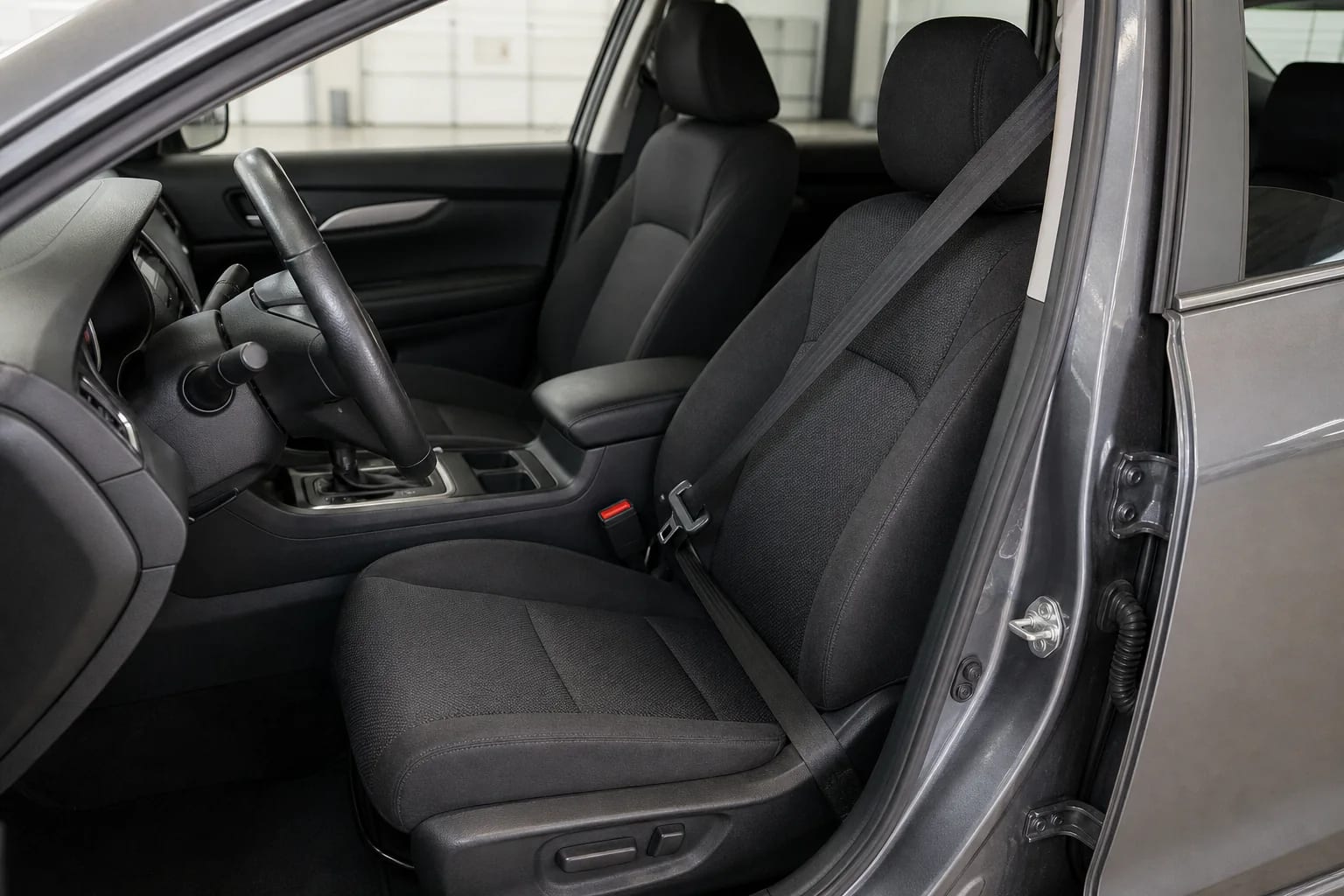
Intact driver seat belt, buckle, seat, and steering wheel inside an unbranded vehicle in a clean inspection bay
A reliable restraint-and-event-data file preserves the physical belt system, vehicle identity, lawful access route, native acquisition, limitations, and custody before repair or salvage changes the source.

Quick answer

After a California crash, preserve the vehicle before repair or salvage, photograph each seat-belt component, and separate physical restraint evidence from diagnostic and event-data-recorder output. Confirm registered-owner authority before any download, then keep the native file, full report, tool details, photographs, hashes, and custody record without treating one field as a fault conclusion.

Key takeaways

  • Preserve the vehicle before repair, salvage, battery cycling, diagnostic work, or module replacement can change the physical restraint system or the data available for a later inspection.
  • Treat belt webbing, buckle, anchor, retractor, pretensioner, diagnostic information, and event-data-recorder output as different sources. One does not substitute for the others.
  • California Vehicle Code section 9951 limits who may retrieve covered recording-device data. Confirm the registered owner and lawful access route before arranging a download.
  • An EDR report may contain vehicle and restraint-system fields, but field availability varies by vehicle, crash, module, and rule phase-in. Preserve the native report and do not turn one field into a fault or injury conclusion.
Hurt Advice Editorial Team

Prepared by

Hurt Advice Editorial Team

Editorial Research and Publishing Team

Source-checked editorial publishing

Why trust this article

Prepared by the Hurt Advice Editorial Team from current official California Legislature, NHTSA, Federal Register, and GovInfo sources. No attorney reviewed this displayed version.

Recent update: Original publication with physical-restraint map, California EDR access tool, current federal phase-in, acquisition ledger, checklist, FAQs, and reader-accessible official source links.

At a glance

What this guide helps you decide

Start with the question that brought you here, identify the records that can verify the facts, and use the related guidance only where it helps. This article addresses car accidents questions in California.

Main question

Decide how this topic may apply to your situation

Use "Seat-Belt and Event Data After a California Crash: What to Preserve" to sort the facts you know, the questions still open, and whether a car accidents resource or consultation may be useful in California.

Guide map

Start with the sections most relevant to you: Quick takeaways, Who this guide is for—and what it does, Step 1: freeze the vehicle and create an identity snapshot

Move through the article by issue, not by guesswork, so liability, medical proof, insurance pressure, deadlines, and next steps stay connected.

Records to gather

Connect these subjects to your records: California Event Data Recorder Evidence, Seat Belt and Pretensioner Evidence, California Vehicle Code Section 9951, EDR Acquisition Ledger

Compare the topic with records, photos, medical visits, police reports, insurer letters, and local claim details before relying on a general answer.

Trust check

Use the source trail before acting

This page includes 3 source references plus internal next-step paths so readers can verify where the guidance comes from.

Before you rely on this guide

This article is written for people dealing with injury-law questions in California. It is meant to help you understand the issue, not replace legal advice about your specific case.

What to do after this article

Start with the quick answer, skim the table of contents, and then use the links below to move into the practice area, author archive, or resource page that turns general guidance into a clearer next step for your situation.

Quick takeaways

  • Preserve the vehicle before repair, salvage, battery cycling, diagnostic work, or module replacement can change the physical restraint system or the data available for a later inspection.
  • Treat belt webbing, buckle, anchor, retractor, pretensioner, diagnostic information, and event-data-recorder output as different sources. One does not substitute for the others.
  • California Vehicle Code section 9951 limits who may retrieve covered recording-device data. Confirm the registered owner and lawful access route before arranging a download.
  • An EDR report may contain vehicle and restraint-system fields, but field availability varies by vehicle, crash, module, and rule phase-in. Preserve the native report and do not turn one field into a fault or injury conclusion.

Who this guide is for—and what it does

This guide is for a California vehicle owner, injured occupant, family member, or authorized representative trying to preserve seat-belt and crash-event evidence after a collision. It gives a practical workflow for identifying the vehicle, documenting the physical restraint system, separating diagnostic records from event data, confirming lawful access, and preserving the acquisition record.

It does not decide whether a belt was worn, whether a pretensioner should have fired, whether a restraint failed, how fast a vehicle was traveling, who caused the crash, whether an injury was caused by a particular mechanism, or what a claim is worth. Those questions may require vehicle-specific engineering, medical evidence, qualified analysis, and other sources. The seat-belt failure service guide explains the possible legal lane; this article is the narrower evidence-preservation task.

Address medical care and immediate safety first. Do not enter an unsafe vehicle, reconnect damaged electrical systems, drive a vehicle that should not be driven, test a restraint on a person, cut webbing, pull trim, dismantle a retractor, energize a pretensioner, or attempt a module download without appropriate training and authority. If a tow yard, repair shop, insurer, or salvage operator has the vehicle, send a narrow written preservation request promptly and keep delivery proof.

Step 1: freeze the vehicle and create an identity snapshot

Start with the exact vehicle rather than a general description. Record the year, make, model, trim, body style, registered owner, current custodian, tow or stock number, and the private VIN. Photograph the VIN plate and certification label for the private file, but redact the VIN from anything public. Record the collision date, approximate time, each impact, whether any air bag deployed, whether the vehicle was driven or towed, and every place the vehicle has been stored.

Ask the current custodian not to repair, scan, clear codes, cycle ignition unnecessarily, disconnect or replace modules, remove seats or trim, cut belts, replace restraint parts, scrap, auction, crush, or release the vehicle until preservation and inspection arrangements are resolved. This is a preservation request, not a declaration that every listed act would destroy evidence. Record what had already happened before the request and who supplied that information.

The tow and storage record guide explains how to track release authority, photographs, inventory, access, and custody. The repair-estimate guide helps separate preliminary estimates, supplements, authorizations, invoices, parts, photographs, scans, and total-loss records. Preserve those source families before they are compressed into one insurer or shop summary.

Step 2: map the physical restraint system before touching it

Photograph the full occupant position from several angles. Then document the belt webbing from upper anchor to lower anchor; D-ring or height adjuster; latch plate; buckle and buckle stalk; retractor area; anchor bolts; seat track; seat position; surrounding trim; air bags; and any visible pretensioner-related component that can be photographed without disassembly. Include wide context images and close details with consistent file names.

Record condition without diagnosing it: “webbing folded near latch plate,” “buckle button returned when pressed,” “upper anchor trim displaced,” or “retractor function not tested.” Avoid “belt failed,” “pretensioner did not fire,” or “occupant was unbelted” unless a qualified source supports that conclusion. A photograph shows a post-crash condition at a particular time; it does not automatically reconstruct the pre-crash state or explain how an injury occurred.

Keep each seating position separate. Driver and front-passenger EDR fields, belt hardware, air bags, pretensioners, and occupant classifications can differ. Do not infer rear-seat information from a front-seat field. If an occupant moved after impact, first responders cut a belt, a rescuer changed a seat, or a custodian handled components, record that event and its source rather than attempting to recreate the original position.

Use the car accident checklist for scene photographs, witnesses, police information, and fast-changing facts. Use the broader injury evidence checklist to connect the vehicle file with medical, communication, insurance, and loss records without mixing those sources.

Step 3: understand what an EDR is—and is not

The federal December 2024 Part 563 final rule describes EDRs as vehicle devices that capture technical information immediately before and during a crash about vehicle-system status and operation. Depending on the vehicle and event, fields may concern pre-crash dynamics, driver inputs, crash severity, restraint use or deployment, and automatic collision notification. It is crash-event data, not a substitute for the complete scene, vehicle, witness, and medical record.

The federal December 2024 Part 563 final rule explains that Part 563 is an “if equipped” standard for covered light vehicles; it standardizes core data, format, retrievability, and survivability when a covered vehicle has an EDR. It does not mean every vehicle has the same module, every collision creates a stored event, every possible field is recorded, or every report will be complete.

Core Part 563 fields include items such as longitudinal change in velocity, indicated speed, accelerator or throttle, service brake, driver safety-belt status, air-bag warning and deployment information, event count, time between events, and whether the complete file was recorded. Other fields—including some lateral, steering, stability-control, right-front-passenger, side-air-bag, and pretensioner information—depend on whether the vehicle records or is equipped for them. Preserve “not recorded,” “not supported,” “not applicable,” and “no event found” as different report outcomes.

The same 2024 rule expanded certain pre-crash capture requirements from five seconds at two samples per second to twenty seconds at ten samples per second. The later May 2026 final rule moved that expansion into a phase-in beginning September 1, 2028, reaching general full compliance for EDR-equipped applicable vehicles on and after September 1, 2031, with later dates for specified small-volume, limited-line, altered, and multi-stage vehicles. For a crash today, never assume the report has twenty seconds of data; identify the vehicle and read the actual output.

Step 4: confirm the California access lane before download

California Vehicle Code section 9951 requires an owner-manual disclosure for covered manufacturer-installed recording devices and defines covered functions to include speed or direction, travel history, steering, braking, driver-seat-belt status, and crash transmission. For vehicles within the statute, subdivision (c) generally bars retrieval by someone other than the registered owner unless an identified exception applies.

The statutory routes include registered-owner consent; a court order; specified safety or medical research without disclosing owner or driver identity; and retrieval by a licensed new-motor-vehicle dealer or automotive technician for diagnosis, service, or repair. The section separately addresses subscription-service recording or transmission disclosures. It applies to motor vehicles manufactured on or after July 1, 2004.

Do not convert those categories into blanket permission. Identify the registered owner from current records, the person requesting access, the legal basis being used, the vehicle custodian, the technician or examiner, and the scope of the proposed work. A repair-diagnosis exception is not automatically an evidence-distribution agreement. A subscription provider’s data is not automatically the same as the on-vehicle EDR. If ownership, consent, insurer authority, police custody, court process, rental status, or a deceased owner creates uncertainty, obtain case-specific advice before retrieval.

A practical request can say: “Please preserve the vehicle and restraint modules without scan, clearing, repair, replacement, sale, or disposal. Before any download, please identify the registered owner, proposed examiner, tool and software, module, access authority, scope, date, and deliverables. This request does not authorize alteration or waive objections.” Keep the request, delivery record, response, consent or order, and final scope together.

Use a three-layer evidence map

Layer 1—physical restraint: webbing, latch plate, buckle, retractor, anchors, pretensioner hardware, seat, trim, and air bags. It can document visible post-crash condition and location. It cannot by itself prove pre-crash use, deployment timing, causation, or fault. Preserve photographs, measurements by a qualified person, components, and custody.

Layer 2—diagnostic and repair records: diagnostic trouble codes, pre-scan, post-scan, module identification, calibration, repair procedure, parts, and technician notes. They can show what a system reported or what work occurred at a stated time. They are not automatically a crash-event record and may change as the vehicle is powered, scanned, repaired, or cleared. Preserve native and rendered outputs plus tool, software, operator, time, and vehicle identity.

Layer 3—EDR event output: event status, ignition cycles, speed or pedal samples, change in velocity, belt status, air-bag or pretensioner fields, and report limitations actually produced for the vehicle. It can preserve recorded system data around a qualifying event. It does not identify a person, diagnose an injury, prove the sensor was physically correct, or decide legal responsibility. Preserve the native file, full report, export, photographs of setup, acquisition notes, and hash.

The same official Part 563 rule explains that EDR requirements are intended to support effective crash investigation and analysis of safety-equipment performance. That is the right model for a private evidence file too: compare physical, electronic, scene, witness, and medical sources and document conflicts; do not elevate one field above the entire record.

EDR acquisition ledger

Before download, create one ledger entry with these fields:

  • Authority: registered owner, written consent, court order, or other identified statutory basis; scope and date.
  • Vehicle identity: year, make, model, trim, VIN in the private file, mileage or odometer source, tow or stock number, custodian, and storage location.
  • System identity: module name, module part number if obtained, physical location, and whether acquisition uses the vehicle connector, direct-to-module method, or another documented method.
  • Acquisition identity: examiner, organization, date, start and end time, tool make and model, adapter or cable, software and data version, power source, and photographs before and after.
  • Vehicle state: battery condition, ignition state, prior scans, repairs, module replacement, air-bag deployment, tow handling, and known power cycles.
  • Result: event found or not found, locked or unlocked status if reported, event count, event type, ignition cycles, complete-file status, supported and unsupported fields, warnings, and errors.
  • Deliverables: native acquisition file, unedited full report, PDF or print rendering, screen captures only when needed, notes, exported data, checksums, copies supplied, and storage location.
  • Custody: who possessed the vehicle and files before, during, and after acquisition; every transfer; read-only master; working copy; and final component disposition.

Example: “Vehicle identified from VIN plate and registration; registered owner consent dated July 28 limited to EDR imaging. Vehicle stored at named facility; no repair authorized. Examiner photographed connector, module context, odometer display, and tool setup. Tool and software versions logged. One report exported; native file and PDF hashed and copied to read-only storage. Report listed driver-belt status and frontal-air-bag fields, marked right-front pretensioner field not recorded, and contained a completeness flag. No interpretation of occupant identity, sensor accuracy, fault, or injury mechanism entered in acquisition ledger.”

Evidence checklist

  • Private VIN, registration, year, make, model, trim, body style, custodian, tow or stock number, storage locations, and key dates.
  • Written hold request and proof sent to tow yard, repair shop, insurer, owner, lessor, salvage operator, or other relevant custodian.
  • Wide and close photographs for each seating position, belt path, webbing, latch plate, buckle, retractor area, anchors, seat, trim, air bags, and visible damage.
  • Police information, scene originals, tow inventory, access log, estimate versions, pre-scan, post-scan, technician notes, repair procedures, invoices, parts, and total-loss records.
  • Registered-owner identity, consent or court order, examiner, scope, tool, software, adapter, module, acquisition method, power state, and photographs.
  • Native EDR file, unedited full report, rendered copy, supported and unsupported fields, warnings, event classification, ignition cycles, and complete-file status.
  • SHA-256 or equivalent hashes for preserved electronic masters; read-only master location; working-copy location; copy and transfer log.
  • Medical records and qualified medical opinions kept in a separate lane from vehicle data and restraint condition.
  • Conflicts ledger linking each disputed statement to its exact source, time, author or system, and unresolved question.

The digital evidence guide explains original files, metadata, exports, hashes, and working copies. The California injury proof guide shows how to connect these records with duty, event, causation, harm, and loss without claiming that one source proves every element.

Timing and process

  1. Handle safety and care. Do not delay emergency response or medically appropriate evaluation to gather evidence.
  2. Locate and hold the vehicle. Identify the current custodian and send a precise preservation request with delivery proof.
  3. Photograph before alteration. Capture vehicle identity, every relevant seating position, restraint components, air bags, damage, and existing changes.
  4. Collect custody and repair sources. Get tow, access, scan, estimate, parts, repair, release, and total-loss records.
  5. Confirm access authority. Identify the registered owner and exact statutory or court-authorized route before retrieval.
  6. Set the acquisition protocol. Agree on examiner, scope, tool, module, power state, observers, photographs, native files, report, hashes, and component handling.
  7. Acquire once, preserve fully. Keep the read-only native master and full output; analyze a copy.
  8. Reconcile sources. Compare physical inspection, diagnostic records, EDR output, scene evidence, witness accounts, and medical evidence without forcing agreement.
  9. Track other deadlines separately. A preservation request or planned inspection does not extend insurance, court, public-entity, discovery, or other deadlines.

Mistakes and red flags

  • Waiting until after repair or salvage transfer: module, belt, trim, battery, and access history may change.
  • Authorizing a general scan: define whether the task is diagnosis, EDR acquisition, or both, and preserve every output.
  • Assuming an EDR exists: check the exact vehicle, owner’s manual, module support, and actual acquisition result.
  • Assuming every crash creates a report: event thresholds, memory, crash type, module condition, and vehicle design can affect availability.
  • Assuming today’s rule means twenty seconds in today’s vehicle: the expanded federal capture requirements phase in later; read the actual report.
  • Equating belt status with occupant identity: a system field does not name the occupant or automatically validate every sensor and physical fact.
  • Reading “not recorded” as “did not happen”: unsupported, unavailable, not applicable, error, no event, and recorded-no are different outcomes.
  • Keeping only a PDF: preserve the native acquisition file, full unedited report, tool and software details, setup photographs, and hash.
  • Letting one expert keep the only copy: maintain an owner-controlled read-only master and a documented copy log.
  • Publishing private identifiers: keep VIN, registration, precise location, medical details, and access documents in the private file.

Next steps

  1. Confirm where the vehicle is and send a narrow written hold request.
  2. Build the vehicle, custody, impact, repair, scan, and restraint-system identity record.
  3. Photograph every relevant seating position and component before alteration.
  4. Identify the registered owner and the lawful access basis before any download.
  5. Use a written acquisition protocol and require native data, full report, photographs, tool details, and hashes.
  6. Keep physical, diagnostic, EDR, scene, witness, and medical sources separate, then reconcile them in a conflicts ledger.
  7. If the vehicle is about to be repaired, released, sold, auctioned, scrapped, or crushed—or if ownership, consent, court process, product condition, or serious injury is disputed—seek qualified advice promptly.

Hurt Advice is a lawyer-referral and legal-information service, not a law firm. You may use the contact page to request an intake review. Any attorney-client relationship requires a separate written agreement with a participating attorney, and no outcome is promised.

Frequently Asked Questions

What does an event data recorder show after a California crash?
It depends on the vehicle, event, module, and applicable rule. A report may include speed, accelerator or throttle, brake, change in velocity, event count, driver-belt status, air-bag information, and other supported fields. It does not identify the occupant, diagnose an injury, or decide fault. Preserve the actual report and its limitations.
Can anyone download EDR data from a California vehicle?
No. California Vehicle Code section 9951 generally limits retrieval of covered recording-device data to the registered owner unless a listed route applies, such as owner consent, a court order, specified de-identified safety research, or qualifying repair diagnosis. Confirm the owner, authority, custodian, scope, and examiner before acquisition.
Does every vehicle have an event data recorder?
Do not assume it. Federal Part 563 is an if-equipped standard for covered light vehicles. Availability and fields vary by year, make, model, module, event, and system condition. Check the exact owner’s manual, vehicle support information, and acquisition result, and preserve a no-event or unsupported result without converting it into a factual conclusion.
Does a seat-belt status field prove who was buckled?
Not by itself. A system field reports what the vehicle recorded for a designated position; it does not name the occupant or automatically establish sensor accuracy, physical belt condition, pre-crash routing, later handling, causation, or fault. Compare it with the physical restraint, scene evidence, witness accounts, diagnostic records, and qualified analysis.
Will an EDR report contain twenty seconds of pre-crash data?
Do not assume it for a current vehicle. NHTSA expanded certain requirements to twenty seconds at ten samples per second, but the May 2026 final rule phases the expansion in beginning September 1, 2028. Current and older vehicles may have shorter or manufacturer-specific capture. Read the vehicle-specific report.
What files should I keep after an EDR download?
Keep the native acquisition file, full unedited report, rendered copy, tool and software versions, adapter and module details, setup photographs, examiner notes, acquisition time, vehicle and power state, warnings, supported and unsupported fields, cryptographic hashes, read-only master location, working copy, and every transfer or recipient.

Sources and references

Current official California EDR disclosure, covered data, retrieval authority, exceptions, subscription-service, and manufacture-date provisions.

Need help after an accident?

Hurt Advice intake team can review your situation, explain your options, and help you move forward with a plan that fits your case.